
Install on Android
Crossonic is available as an APK download.
There are three options available:
Crossonic-x.x.x-android-arm64v8- This should be the correct choice for most phones. If you are unsure try this version first.
Crossonic-x.x.x-android-arm32v7- Choose this version if you have an old 32-bit ARM device.
Crossonic-x.x.x-android-x64- Choose this version if your device uses the
x86_64architecture (e.g. some tablets)
- Choose this version if your device uses the
Install
Section titled “Install”If you have installed an APK file before, Crossonic is no different. Though make sure that you follow Enable Android Auto if you want to use Android Auto.
The first step is to visit the releases page, scroll down to Assets and download the latest APK file for your architecture.
Now open the downloaded file. You’ll be prompted to allow your browser/file manager (depending on which app you used to open the APK file) to install apps from unknown sources. Once allowed you’ll be prompted to install Crossonic (if not, you might need to open the APK file again).
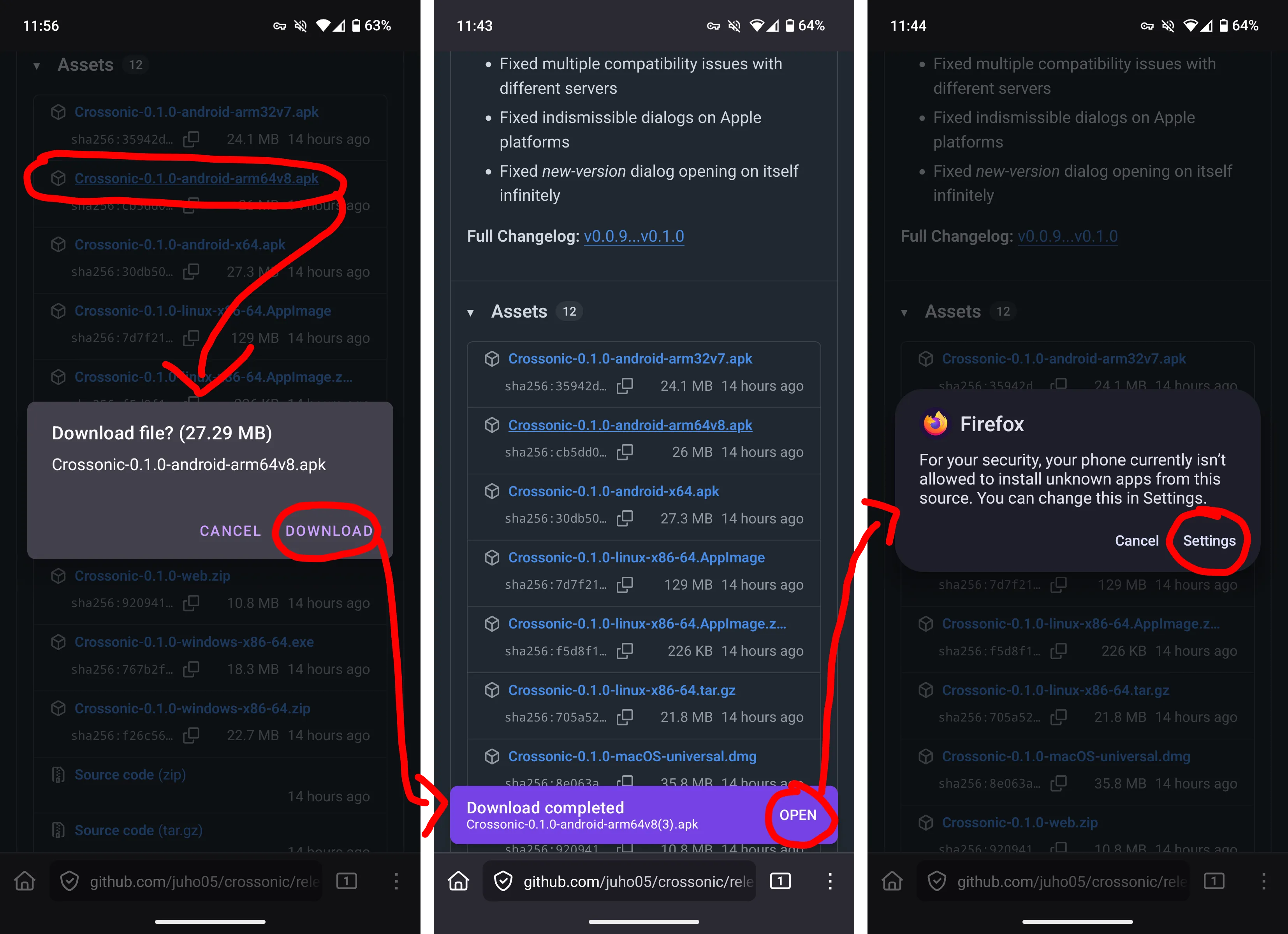
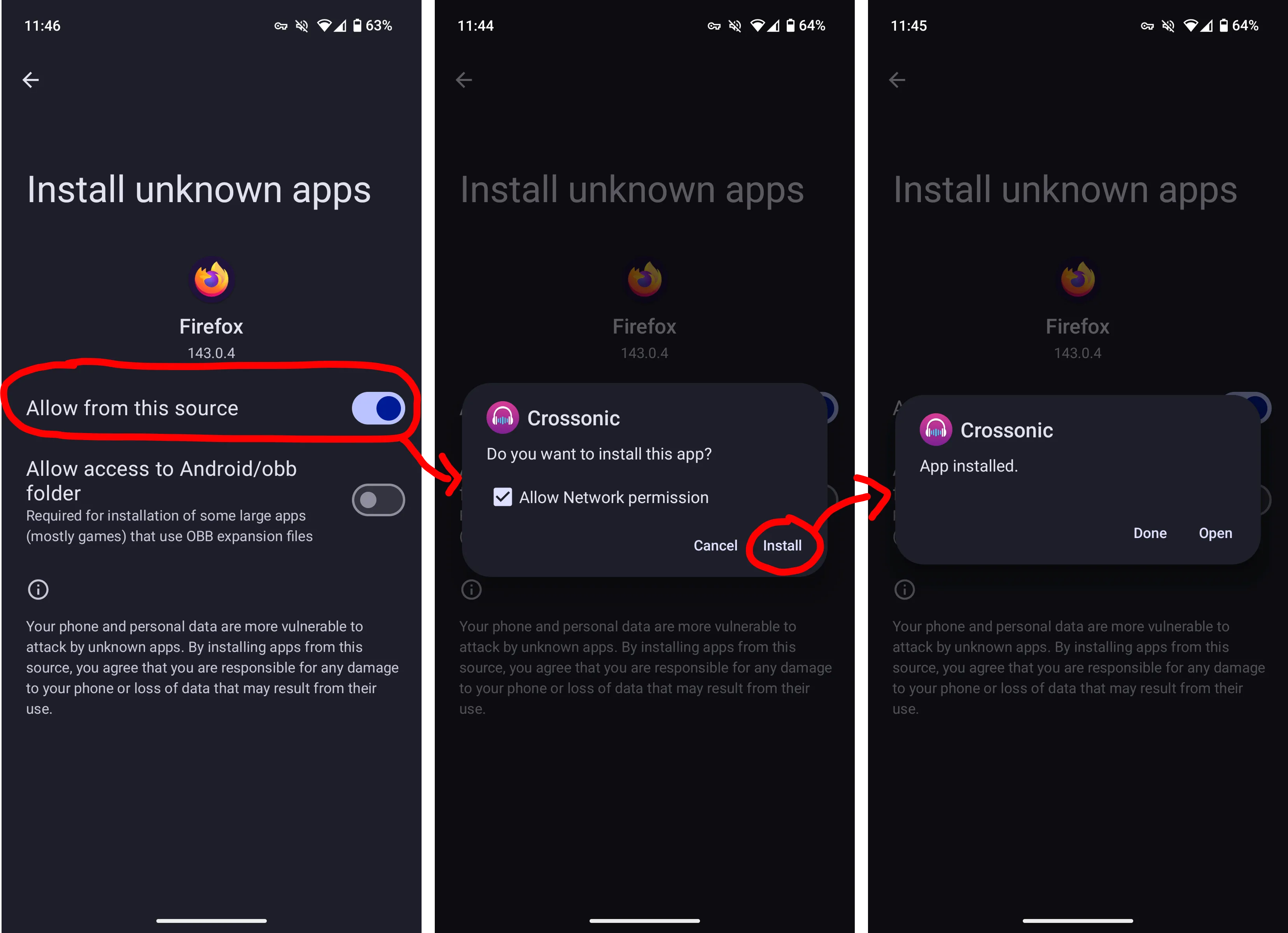
If the process looks different on your phone try following the instructions in this wikihow article.
Enable Android Auto
Section titled “Enable Android Auto”By default Android Auto does not allow apps that were not installed from the Play Store. This restriction can be disabled using Android Auto developer settings.
- Open Android Auto settings (e.g. by searching for
Android Autoin the settings app) - Scroll down to the About section of the Android Auto settings
- Tap on Version 10 times
- Click ok
- Tap on the three-dot button in the top-right corner and click on Developer settings
- Enable Unknown sources
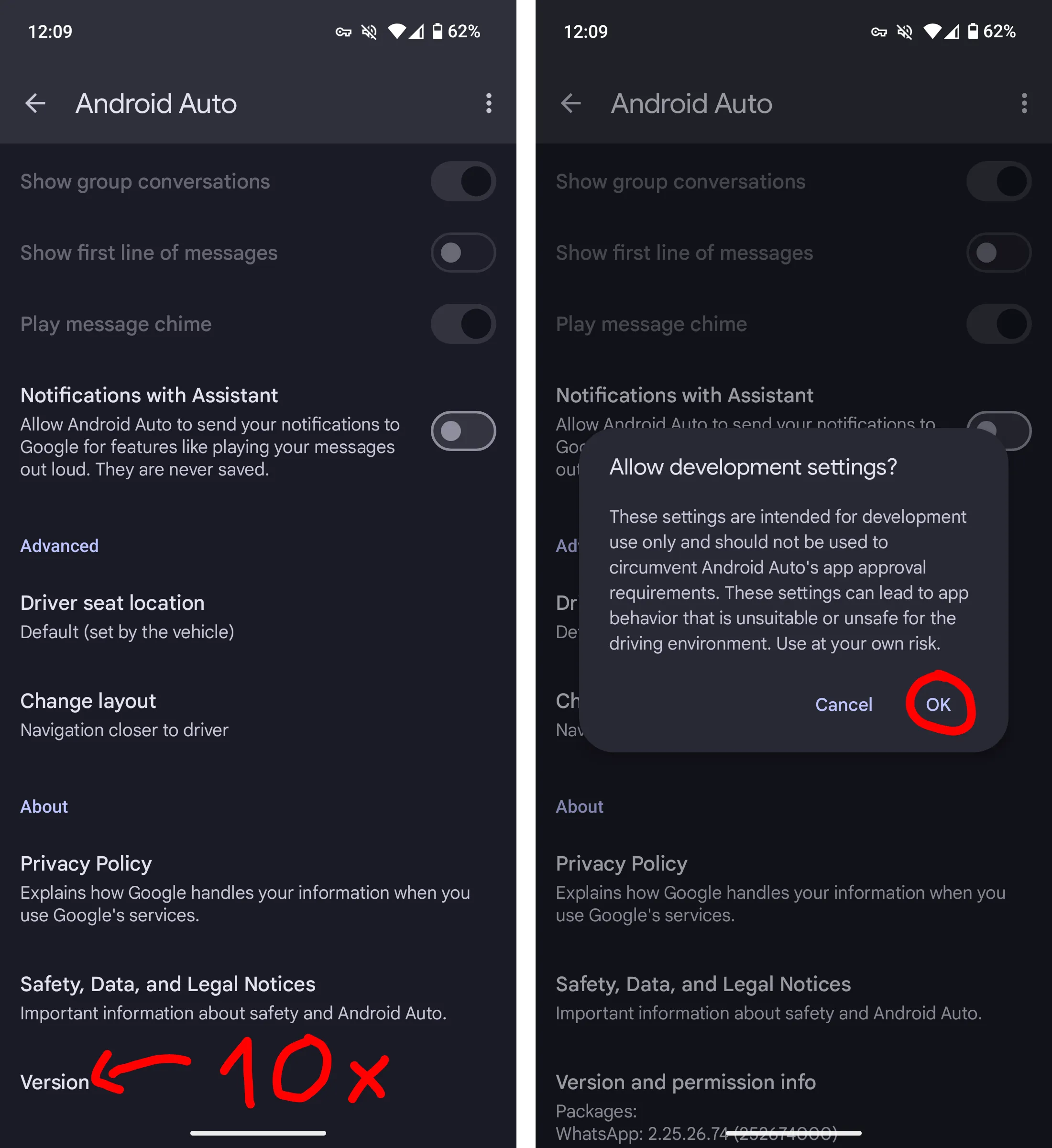
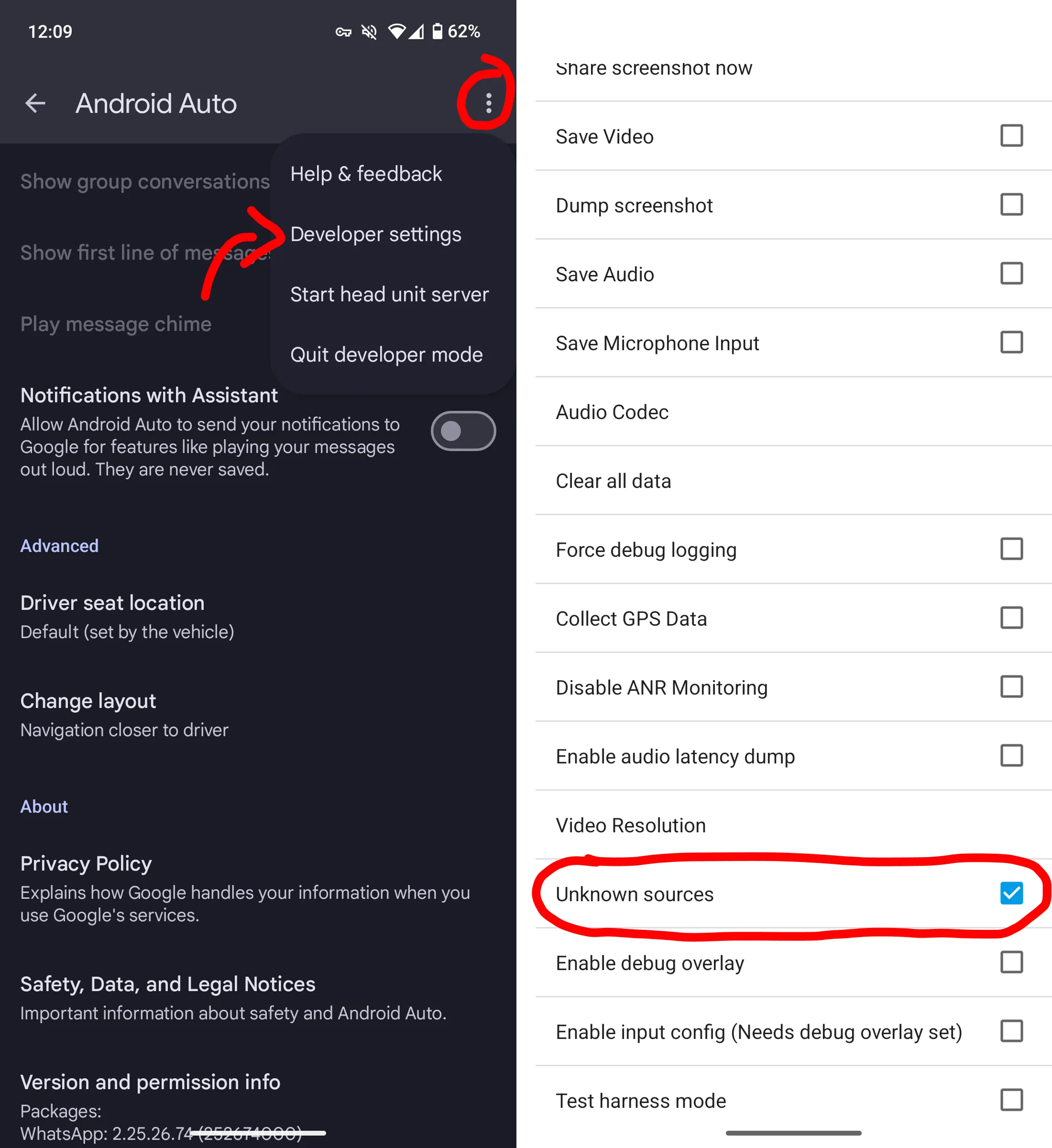
You should now be able to use Crossonic in Android Auto.
Updating
Section titled “Updating”Starting with version v0.1.0 Crossonic is able to update itself on Android. Just click Install when prompted that a new version is available.
If the update process fails (e.g. on some Xiaomi devices) simply install the latest version as if it were the first installation by following the installation instructions.